Event registration and QR check-in for associations
Event registration software for nonprofits and an event check-in app that works offline: member pricing, waitlists, sessions, groups and the door.
- Author
- Luca Longo
- Published
- Reading time
- 14 min read
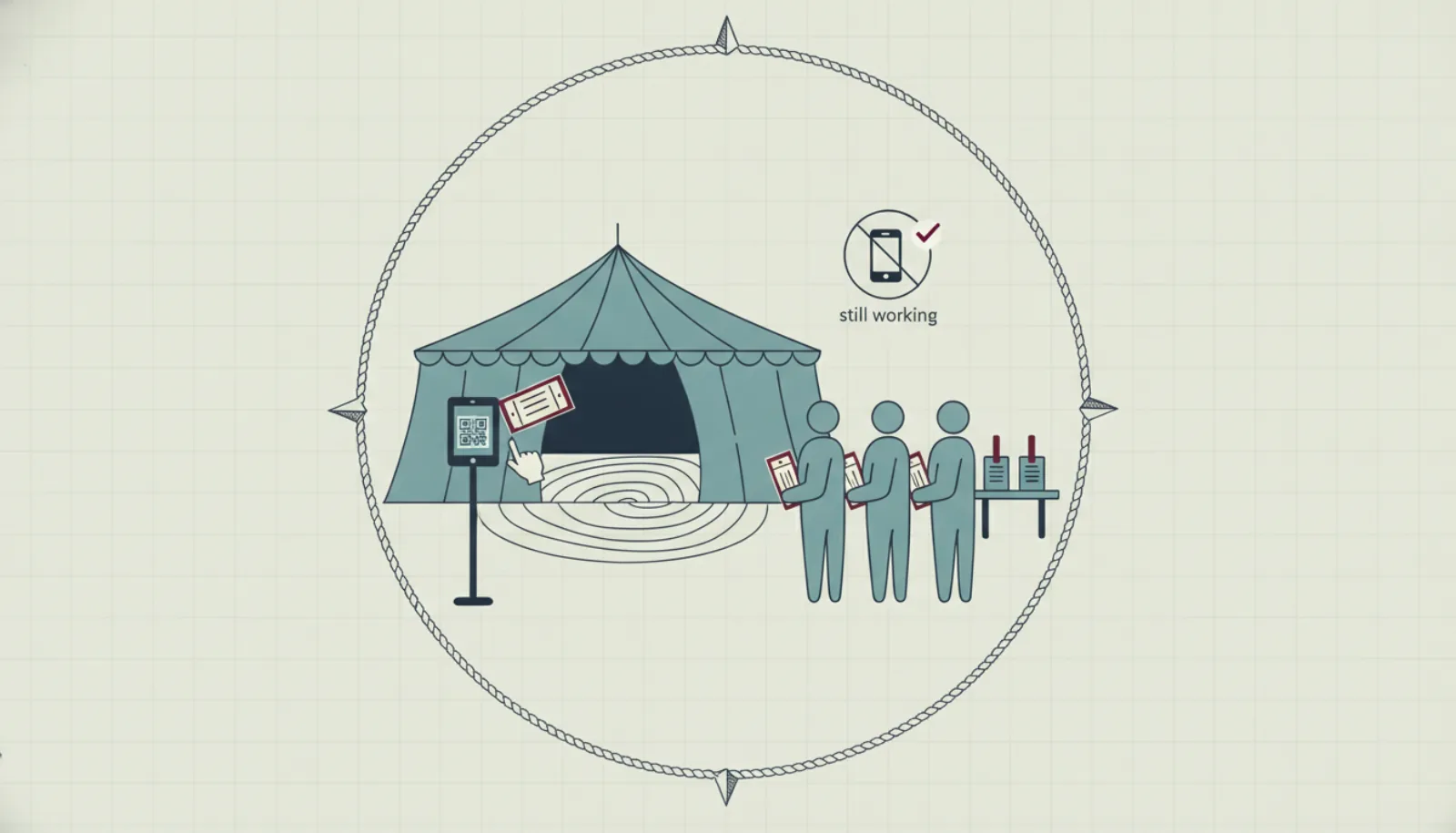
An association's events are where members meet the organisation in person: the regatta, the annual dinner, the conference, the course, the general meeting. They are also where the office works hardest for the least visible result. This article is for the secretary choosing event registration software for nonprofits, and for the volunteer who will stand at the door with an event check-in app on their phone. Today registration arrives by email and by phone, the member price is applied by memory, the list at the door is a printout from the day before, and the headcount never quite agrees with the invoices. The sections below cover what registration needs to know, how to handle capacity and groups, what the door has to do when the marquee has no signal, what to send and when, and what to measure afterwards.
Why generic ticketing is not enough for an association
Consumer ticketing platforms sell tickets to strangers. An association sells most of its places to people it already knows, at a price that depends on who they are, for events that are often part of the membership rather than separate from it.
That difference shows up everywhere. A member in good standing pays one price, a lapsed member another, a guest a third. A junior member may register for a junior division only. A corporate member's places are booked by one person for ten colleagues. The AGM is an event with attendance that counts towards a quorum. A ticketing platform that does not know the register cannot do any of this without the office checking every booking by hand, which is the work the software was meant to remove.
The alternative is event registration that lives inside the same system as the register. The article on what an association management system is explains the category; events are one of its modules, and the better ones treat the door as seriously as the form.
Event registration software for nonprofits: what the form has to know
Member and guest pricing
The first thing registration must do is recognise the member. When a member who is signed in to the portal opens the event page, the member price applies without a code or a request. When a lapsed member opens it, the public price applies, which is a gentle reminder of what membership is for. Guests register through a form, and become contacts the association can invite to join later.
Ticket types carry their own price, capacity, sales window and visibility. A dinner might have a member ticket, a guest ticket, a junior ticket and a table of ten; a regatta might have an entry per boat per division plus a crew dinner. Member-only ticket types simply do not appear to the public.
Capacity and waitlists
Every ticket type has a capacity, and so does the event. When a type sells out, the form should offer a waitlist rather than a closed door. When a place frees up, because a member cancels or the committee releases held places, the first person on the waitlist is promoted automatically and told they have a fixed time to confirm. A waitlist managed by email and memory is a source of complaints about fairness; one managed by the system is simply the order people arrived.
Sessions, tracks and divisions
A conference has parallel sessions with their own capacity; a regatta has divisions and heats; a training weekend has workshops a participant chooses among. Registration should let a participant pick sessions within their ticket, enforce capacity per session, and give the door and the session chair a list per session rather than a list for the whole event. Clash detection, so nobody books two sessions at the same hour, is a small feature that saves a great deal of correspondence.
Group bookings
A company bringing eight people, a sailing school entering six boats, a family of four: one person books and pays, and later fills in the names. Registration should let the booker manage the group through a shared link, assign tickets to named people, and change a name up to a deadline. Each attendee then has their own QR ticket, which matters at the door, and their own dietary and access requirements, which matters to the caterer.
Questions and consents
Dietary requirements, boat name and sail number, T-shirt size, emergency contact, a photo consent: each event has questions, and the answers belong to the attendee record, not to a spreadsheet exported afterwards. Keep the form short, mark what is required, and attach the consents that this event needs and no others.
Enquiries from exhibitors and partners
Larger events bring exhibitors, suppliers and sponsors who want to be involved and are not attendees. An enquiry form on the event page that lands in the organiser's queue, with the contact, the role and the message kept together, replaces the chain of forwarded emails. For boat-show scale events this becomes lead capture; for a club regatta it is a way to say yes to the chandler who wants a stand.
The door: an event check-in app that works offline
The morning of the event is where registration software earns or loses its keep. The committee has a volunteer at a folding table, a phone, perhaps a tablet, and a queue of people who want to be inside. Four things have to be true.
QR tickets, scanned in a second
Every attendee has a ticket with a QR code, in the confirmation email and in the portal. The volunteer scans it with the phone's camera, sees the name, the ticket type and any flag the committee set, such as "dues outstanding" or "table 7", and taps once. Searching by name must also work, for the member who has forgotten their phone, but it should be the exception.
It keeps working without signal
Marquees, boatyards, basements and conference centres share a property: the mobile signal fails at exactly the moment two hundred people arrive. An event check-in app that needs a connection for every scan stops the queue. The app should download the attendee list before the doors open, record every scan locally, and sync when the connection returns. The volunteer should not need to know whether they are online.
Two devices, no double counting
With one door and two volunteers, or two doors, both devices scan from the same list. When they reconnect, the system must merge the scans so that an attendee checked in on device A is marked once, and an attendee who presents at both doors is flagged as already checked in, not counted twice. The headcount shown to the organiser should be the merged figure, and it should match the number of people in the room. This is where a printout, or two printouts, fails quietly.
Kiosk self check-in
For a conference or a large dinner, a tablet on a stand in kiosk mode lets attendees scan their own ticket and see their name and table, while the volunteer handles exceptions. Kiosk mode must lock the device to the check-in screen, show nothing but the attendee's own details, and fall back to the offline list in the same way as a staffed device.
Communication rules: confirmation, reminder, thank-you
Each event sends the same three messages, and each is usually written again from scratch the week before. They should instead be rules, written once per event template in the association's words and sent by the system on time.
| Message | When | Must contain |
|---|---|---|
| Confirmation | Immediately on booking | Event, date, place, ticket type, QR ticket, how to change or cancel |
| Reminder | The day before, or the morning of | Time, place, what to bring, the QR ticket again, parking or mooring |
| Session or division notice | On the day, if sessions change | The attendee's own sessions only |
| Thank-you | The day after | Thanks, photos or results, the next event, a two-question feedback form |
| Waitlist promotion | When a place frees up | Deadline to confirm, one-click confirm |
Two rules apply to all of them. Only attendees receive them, filtered to their own ticket and sessions. And every message is a template the office can edit, so the reminder for the junior regatta does not read like the one for the professional conference. See campaigns and reports for how templates work across the whole system.
What to measure after the event
Events are usually judged by whether they felt busy. The figures that matter are available the next morning if registration and the door are in the same system.
- Registered, checked in, no-show. The no-show rate by ticket type tells you whether free member tickets should carry a small deposit.
- Member and guest split. How many guests came, and how many later joined. Guests are the recruitment pipeline the membership committee usually cannot see.
- Capacity used per session. Which sessions sold out and which ran half empty, for next year's programme.
- Revenue against budget, by ticket type, with refunds.
- Participation by member. Which members attended nothing this year. They are next year's lapses, as the article on membership renewal explains.
- Sponsor exposure. Attendees reached, banners served, logo placements delivered, for the sponsor's report. See nonprofit sponsorship packages.
A worked example: the Westbay Sailing Association autumn regatta
The Westbay Sailing Association is fictional, and its autumn regatta is a typical club event: two days of racing in three divisions, a crew dinner on Saturday night, and a prize-giving on Sunday. It has 540 members.
Registration opens six weeks before the event with four ticket types. Boat entry at €60 for members and €90 for non-member boats, capacity 60 across divisions with 25 in the dinghy division, 20 in the sportsboat division and 15 in the cruiser division. Crew dinner at €35 for members, €45 for guests, capacity 160 in the marquee. Prize-giving is free and open, capacity 220. A junior entry at €30, member-only.
By the Thursday before, 58 boats have entered, 140 dinner tickets have sold, and the dinghy division is full with 6 on the waitlist. Two dinghy entries withdraw on Friday; the first two on the waitlist are promoted and both confirm within the two hours allowed. Fourteen of the dinner tickets were booked by one sailing school for its students through a group link; the names arrived on Thursday, and two were changed on Saturday morning.
Revenue: 48 member boats × €60 + 10 non-member boats × €90 = €2,880 + €900 = €3,780 in entries; 118 member dinners × €35 + 22 guest dinners × €45 = €4,130 + €990 = €5,120 in dinners; 11 junior entries × €30 = €330. Total €9,230, received into the association's own Stripe account as bookings were made, with 2 refunds recorded against the withdrawn entries.
At the dinner, two volunteers at the marquee entrance scanned from their phones. The signal in the marquee dropped at 19:15 and returned at 19:40; both phones kept scanning and the lists merged without duplicates when the connection returned. Check-in for the dinner closed at 134 of 140: 6 no-shows, all on member tickets, which the committee will consider when setting next year's deposit. Sunday's prize-giving used a kiosk tablet at the clubhouse door and a volunteer for the exceptions: 196 checked in.
The morning after, the organiser exported the figures: 22 guests at the dinner, of whom 9 had not been to a club event before; the 6 no-shows; the cruiser division at 15 of 15 for the first time. The thank-you went to all 330 attendees at 10:00 with the results and a link to the photos. The sponsor of the dinner, a local sailmaker, received a note with the attendance figure and the number of times its banner had been shown on the event page.
A checklist for the day
Work through this the evening before and again an hour before the doors open.
- Download the attendee list to every check-in device while you still have Wi-Fi, and confirm the count matches the console.
- Charge every device, and bring a battery pack per device. A dead phone is an offline mode you cannot recover from.
- Sign in each volunteer on their own device, so the log shows who checked whom in.
- Test a scan with a real ticket, then test a search by name, then test a scan of an already-checked-in ticket to see the warning.
- Set up the kiosk if you use one, in kiosk mode, on a stand, with the exceptions desk within sight.
- Print one list sorted by surname, as the fallback of last resort, and treat it as the fallback, not the primary.
- Agree the exceptions: what to do with a lapsed member who insists they renewed, a guest without a ticket, a name that is not on the list. One person decides.
- Know the capacity of the room and watch the merged headcount against it, not the registration total.
- Hold back a few places for the committee's discretion, released to the waitlist at a fixed time.
- Close check-in at an agreed time and record the final count before anyone starts estimating.
Common mistakes
Applying the member price by hand. Every manual price check is a chance to charge a member the guest price or a lapsed member the member price, and both produce an email.
Managing the waitlist by email. It is slow, it is opaque, and it is the one place where members accuse the committee of favouritism.
Printing the list the day before. Everyone who books on the day is not on it, and every cancellation is still on it.
One device at the door. Queues form, and the second volunteer with the second printout starts the double-counting problem.
A check-in app that needs signal. The venue decides whether you check anyone in, and it will decide against you at 19:15.
Sending the reminder to everyone. Members who did not book do not need to know what to bring; attendees of session B do not need the timetable of session A.
Not sending the thank-you. It is the message with the highest open rate of the year and the easiest place to announce the next event and ask two questions.
Measuring attendance by feel. Record registered, checked in and no-show per ticket type while the figures are fresh, and bring them to the committee.
Running the AGM as a separate list. Attendance at a general meeting is governance: it should be recorded against the register, with proxies, as the article on running an AGM describes.
How SupaGuild handles events and check-in
In SupaGuild, events live in the same system as the register. Ticket types carry capacity, price, sales window and member-only visibility; a member in good standing sees the member price automatically and a lapsed member sees the public price. Sessions and tracks serve conferences, heats and divisions serve regattas, waitlists promote automatically when a place frees up, and groups can be booked and managed by one person through a shared link. Exhibitor and partner enquiries are collected on the event page.
At the door, staff scan QR tickets with their phone, and a kiosk mode lets guests scan themselves. The check-in app caches the attendee list, keeps scanning offline and syncs when the connection returns; two devices can scan at once without double counting. Confirmation, reminder and thank-you are rules written once per event template, in your words. Every event has a public page on the tenant site, and the calendar can be embedded in your own website on the Pro plan.
The free plan allows three published events at a time; Pro and Enterprise have no limit, and boat-show scale events with exhibitors and lead capture are part of Enterprise. Payments go to the association's own Stripe account. The events and check-in page lists what is shipped, and the page for the event organiser walks through a season.
Frequently asked questions
What is an event check-in app?
It is the part of event registration software that the door uses: an app on a phone or tablet that scans the QR code on each attendee's ticket, confirms who they are and what they booked, and records the check-in. A good one downloads the attendee list in advance, works without a connection, merges scans from several devices without double counting, and offers a kiosk mode for self check-in.
Does QR check-in work without internet?
It should, and you should test it before you rely on it. The app stores the attendee list on the device before the doors open, records each scan locally, and syncs when the connection returns. If the vendor's answer is that a connection is required for each scan, plan for a queue the first time the venue's signal fails.
Can non-members register for our events?
Yes, and they should be able to, because guests are the membership committee's best pipeline. Each ticket type can be open to the public, reserved to members, or both at different prices. Guests register through a form and become contacts you can invite to join later; members are recognised automatically and see their price.
How do we handle a waitlist fairly?
Let the system do it. When a ticket type is full the form offers the waitlist; when a place frees up the first person in line is promoted and given a fixed time to confirm. Nobody has to judge who deserves the place, and the record shows the order in which people arrived.
What should we measure after an event?
Registered, checked in and no-show by ticket type; the member and guest split and how many guests later joined; capacity used per session; revenue and refunds against budget; which members attended nothing this year; and, for sponsors, attendance and exposure figures for their report. All of these come from the registration and check-in data if the two are in the same system.
Is event registration software for nonprofits different from ordinary ticketing?
The difference is the register. Ordinary ticketing sells to strangers at one price; an association sells mostly to members it already knows, at prices that depend on their status, for events that are part of membership and sometimes part of governance. Registration that reads the register applies member pricing, restricts member-only tickets, counts AGM attendance towards quorum and records participation on the member's record.