AMS vs CRM: which one does your association actually need?
AMS vs CRM for an association: a CRM tracks deals, an AMS tracks memberships, dues, admission and governance. How to tell which one you need.
- Author
- Luca Longo
- Published
- Reading time
- 11 min read
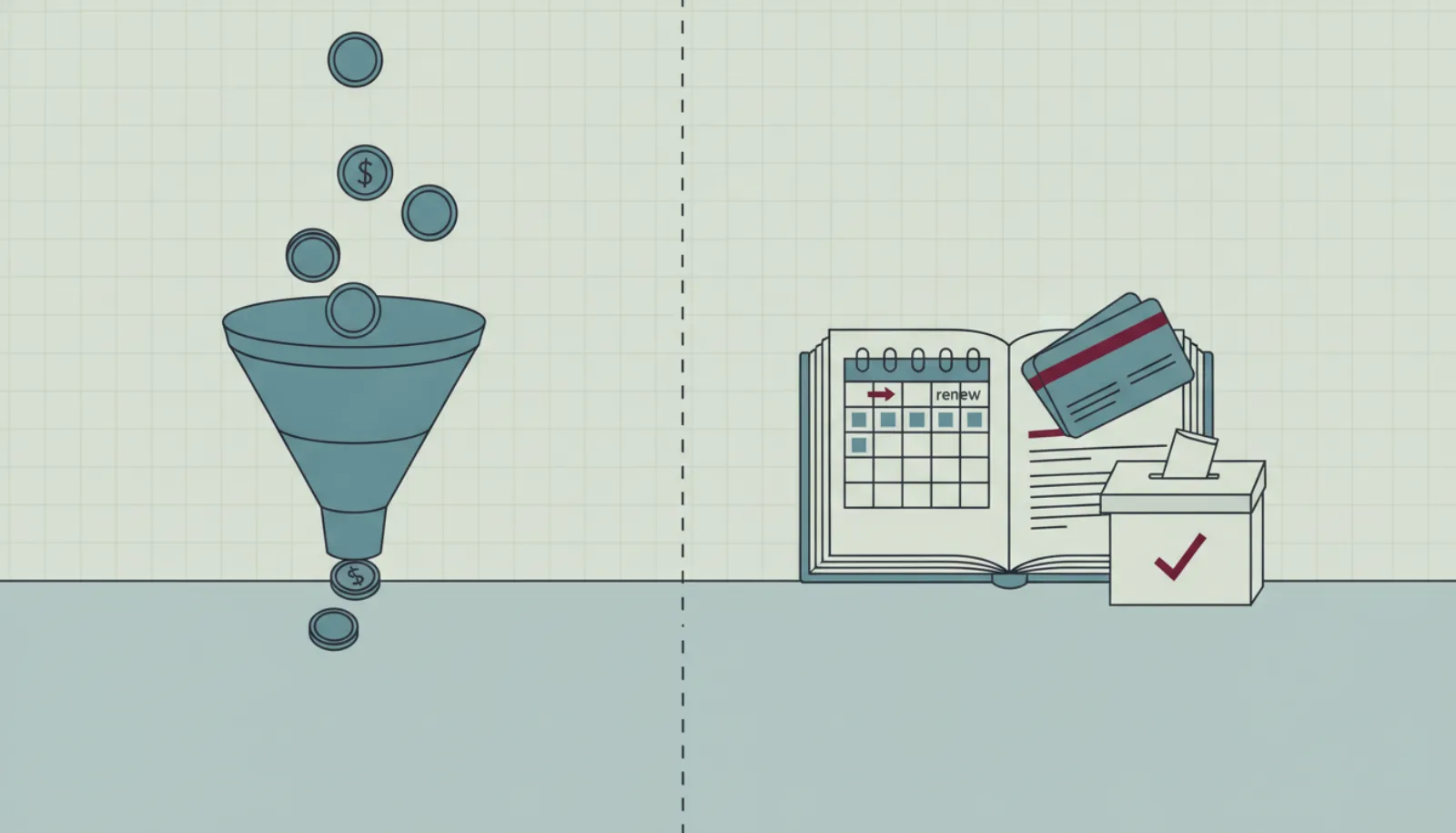
Boards often arrive at the same crossroads. Someone proposes a CRM because a colleague uses one at work; someone else has read about association management systems; the treasurer wants whatever talks to the bank. The AMS vs CRM question matters because the two kinds of tool are built around different objects, and the gap shows up a year later, not in the demo. This guide explains the difference, what vendors mean by an "association CRM", and how to decide for your own association.
What a CRM is built around
Customer relationship management software is built around a deal: a contact moves through a pipeline from lead to opportunity to customer, and the system measures conversion and revenue. Contacts have companies, activities, notes and tags. Everything is optimised for a sales team that wins or loses, and then moves on.
That model handles some association work well. Recruiting new members is a pipeline. Sponsorship sales are a pipeline. Tagging contacts and emailing a segment is a CRM's bread and butter. A CRM is also, usually, cheap or free at small scale, and the people on your board already know how one works.
What an AMS is built around
An association management system is built around a membership: a relationship with a start, a renewal cycle, a tier, a status and rights attached to it. The member did not "convert"; they were admitted under a statute, they pay dues on a schedule, they may vote at the general meeting, and one day they lapse or resign. The system has to know all of that, and remember it after the board changes.
From that object the rest follows: renewal invoices and reminders, admission with stages and referees, a portal where members keep their own record, a directory with member-controlled visibility, events with member prices, and governance with quorum, proxies and ballots. If you want the longer definition, read what is an association management system.
AMS vs CRM side by side
| CRM | AMS | |
|---|---|---|
| Central object | Deal or opportunity | Membership |
| A person's status | Lead, prospect, customer | Applicant, active, pending renewal, lapsed, resigned, honorary |
| Time model | Pipeline stages, closed won or lost | Periods with a start, a renewal date and a grace period |
| Money | Deal value, forecast | Dues invoiced per tier, reminders, receipts, refunds |
| Joining | A form creates a lead | An application with documents, referees and review stages |
| Rights | Not modelled | Member prices, member-only directory, voting entitlement |
| Meetings | Not modelled | Notice, attendance, proxies, quorum, ballots, resolutions |
| Consents | Marketing opt-in, sometimes | Per purpose: communications, public profile, cross-association, partners |
| Memory | Activity timeline per contact | Audit log, membership history, register of resolutions |
| Who uses it daily | Sales and marketing | Secretary, treasurer, membership committee, members themselves |
| Typical pricing | Per user seat | Per member, flat per plan, or a cut of payments |
The table makes one thing obvious: the CRM column is not wrong, it is answering a different question. A sales team needs exactly what it offers. An association needs most of the right-hand column, and a CRM has to be bent to supply it.
Where a CRM breaks for an association
Teams that start with a CRM usually hit the same walls.
Renewals. A CRM has no notion of a membership period. Renewals end up as recurring tasks or custom fields, and someone still issues the invoices. Lapsing is a manual status change that nobody makes on time.
Admission. A sales pipeline can mimic review stages, but it has no place for referee references, uploaded documents, committee decisions with a note, or the rule that approval creates a membership and an invoice.
Governance. No CRM knows what a quorum is. The AGM stays on paper, and the register of resolutions stays in a binder.
Rights and consents. Member-only pricing, member-only directory visibility and purpose-specific consents are not CRM concepts. They get approximated with tags, and tags drift.
Memory. A CRM is optimised for the next quarter. An association needs to answer, in 2031, who approved an application in 2026 and on what basis.
Self-service. A CRM has no member-facing side. The member who wants a receipt still writes to the office.
A worked example: two years on a CRM
Consider a fictional professional association of 1,800 members, with an admission process that requires two referees and a committee decision, dues of 180 euro renewing on the anniversary of joining, and an AGM with a quorum of one tenth of members. In year one the board adopted a well-known CRM because the office manager had used it before and the entry tier was free.
The set-up took a month. Members became contacts, tiers became tags, the renewal date became a custom date field, and the admission process became a pipeline with five stages. It looked good. Then the first anniversary renewals fell due, spread across every day of the year, and the office discovered that the CRM could not issue an invoice, let alone a reminder sequence. They exported a list each Monday and sent invoices from the accounting package, 35 a week on average. Lapses were set by hand on Fridays, when someone remembered.
By the end of year two the register had 2,140 contacts, of whom 1,760 were active members, 210 were lapsed members with the active tag still on, and 170 were prospects nobody had cleaned. The AGM notice went to the whole list, including people who had resigned. Two referees' letters were in an email inbox, not on the application. The committee could not say, when a member challenged a rejection, which stage had taken the decision and why.
The association then moved to an AMS. The migration took three weeks, mostly spent deciding which of the 2,140 contacts were members and reconstructing renewal dates from the accounting package. None of that was the CRM's fault. It was asked to be something it is not.
What vendors mean by an "association CRM"
You will see the phrase "association CRM" on many websites, including ours. It usually means one of two things, and it is worth asking which.
Sometimes it means a generic CRM with a template or a plugin for associations: custom fields for tier and renewal date, a few tags, perhaps an integration with a payment tool. That is a CRM dressed for the occasion, and the walls above still stand.
More often, in products built for associations, it means the membership module inside an AMS: the register of people and companies, with tiers, statuses, custom fields and a history. SupaGuild's membership CRM is the second kind. It is called a CRM because it does what people expect a CRM to do with contacts, but it is built on the membership object, and the dues, applications, events and governance modules run on the same record.
The test is simple. Ask the vendor to show a member who lapsed and came back. If the answer is a status change on a contact, it is a CRM. If the answer is two membership periods with a gap, invoices on each and a report that counts the return, it is an association CRM in the second sense.
Where an AMS is more than you need
The honest counterpoint: not every organisation needs an AMS.
If you have no dues, no admission process and no meetings with votes, you have a community or a mailing list, and a CRM or even a newsletter tool with tags may be enough. If you are a company whose "members" are customers on a subscription, a billing platform and a CRM fit better. If your association is twenty people who meet monthly, a spreadsheet and a shared inbox are honest tools.
The question is not which software category is better. It is which object your organisation revolves around. If it is the membership, with its dues, rights and rules, you need the system built around it.
Can you use both?
Yes, and larger associations do. The AMS holds members, dues, admission, events and governance; a CRM handles corporate sponsorship sales or a membership-growth campaign aimed at non-members. The join is the moment a prospect is admitted: the record should move once, into the AMS, and stay there.
Smaller associations rarely need the second tool. A good AMS keeps prospects apart from members, segments emails by any field, and tracks sponsor packages with their deliverables, which covers most of what the CRM would have done. If you do run both, decide in writing which system owns which field, and never let a member's email address be edited in two places.
How to decide, step by step
- List your objects. Write down what your organisation manages: members, companies, applications, dues, events, meetings, sponsors, prospects. Underline the ones with rules attached.
- Trace one member for a year. Join, pay, attend, vote, renew or lapse. Note every point where a tool would have to issue, remind, check or record something.
- Count the manual steps a CRM would leave. Invoices, reminders, lapse marking, referee handling, quorum. Multiply by the number of members and the number of times a year.
- Check the governance requirement. If your statute requires recorded quorum, proxies or secret ballots, a CRM is out of the question for that part, whatever else it does.
- Price it over three years. Include the CRM seats, any payment tool, any form tool, and the hours of the office. Compare with an AMS plan; SupaGuild's pricing is flat by plan rather than per member.
- Test the exit. Whatever you choose, make sure you can export every table yourself, today.
A short decision checklist
Answer yes or no:
- Members pay dues on a renewal cycle.
- There is an admission process with rules, documents or referees.
- Members have rights: voting, member prices, member-only content.
- There is a general meeting with a quorum and recorded decisions.
- The board changes and needs the history to survive the change.
- Personal data of members needs consents per purpose and a processor agreement.
Three or more yes answers point to an association management system. Fewer, and a CRM or a lighter membership tool will carry you for now, as long as you plan the migration before the spreadsheet becomes the system of record.
Common mistakes in the AMS vs CRM decision
Choosing the tool the board knows. Familiarity with a CRM at work is a real advantage for the first month and a cost for the next five years. Judge the tool by the renewal run, not by the learning curve.
Calling tags a data model. A tag can say "member". It cannot say "member since 2019, lapsed in 2023, rejoined in 2024, family tier, two proxies given this year". The second is what an association needs.
Ignoring the member-facing side. A CRM is for staff. An AMS has a portal for members, and the portal is where the office's inbox shrinks.
Running a CRM for prospects and an AMS for members without a handover rule. The result is duplicates. Decide that admission moves the record once, and that the AMS owns it from then on.
Forgetting governance until the AGM. The CRM looked fine in June. In November the quorum was computed on a sign-in sheet. Read running an AGM properly before deciding.
How SupaGuild handles the overlap
SupaGuild is an AMS. It keeps prospects in the same register as members but out of the counts, segments campaigns on any field, and tracks sponsor packages through to delivery, so most associations do not need a separate CRM. When one is already in place, the import tools and the full export keep the two in step: Excel, CSV and Wild Apricot files come in with a dry run and a 24-hour undo, and everything can be exported from the console at any time. The membership CRM page and the sponsors page show the detail, and the free plan covers associations up to 250 members.
Frequently asked questions
What is the difference between an AMS and a CRM?
A CRM is built around deals and contacts moving through a sales pipeline. An AMS is built around memberships: periods with a start, a renewal, a tier, a status and rights. The CRM measures conversion; the AMS runs dues, admission, events, communications and governance on one register.
Is an association CRM the same as an AMS?
It depends on who is using the term. For some vendors it means a generic CRM with association fields added. For products built for associations it means the membership module of an AMS, where the register is one part of a system that also handles dues, applications and meetings. Ask to see how a lapsed and returning member is recorded; the answer tells you which one you are looking at.
Can a CRM handle membership renewals?
Not natively. A CRM has no membership period, so renewals become recurring tasks and custom date fields, and invoices and reminders have to be produced elsewhere. Associations that try it usually end up exporting a list every week and marking lapses by hand.
Can an AMS replace our CRM entirely?
For most associations, yes. A good AMS keeps prospects apart from members, segments communications on any field, and tracks sponsor packages. Large associations with a dedicated sales team for corporate partnerships sometimes keep a CRM for that team, with a clear rule that admitted members live only in the AMS.
Which is cheaper, an AMS or a CRM?
A CRM is often cheaper on day one, especially at a free tier, and more expensive over three years once you add a payment tool, a form tool, extra seats and the office hours that the missing automation costs. Compare the total for your membership size; SupaGuild publishes its plans on the pricing page.
We are a small club with no formal admission. Do we still need an AMS?
If members pay dues on a schedule and the club holds a general meeting with recorded decisions, yes, even without admission rules. If there are no dues and no votes, a CRM or a mailing list is an honest tool and you can revisit the decision when the structure changes.